
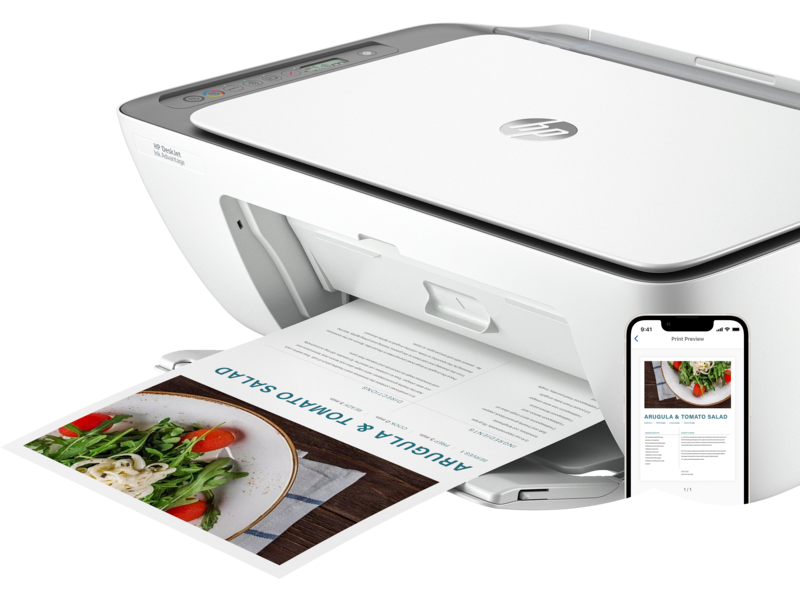
Printer Repairs in Parktown Johannesburg.King Musa Printer Repairs: Reliable Printer Repairs in Parktown, Johannesburg.Tel. 011262 0168 WhatsApp: +27 72 272 3696
Are you experiencing printer issues in Parktown, Johannesburg? Look no further than King Musa Printer Repairs for expert, fast, and affordable solutions. Our skilled technicians are here to diagnose and repair your printer, ensuring it operates like new. Whether it’s a small issue or a major malfunction, we provide comprehensive services to get your printer back to work quickly.
Why Choose King Musa Printer Repairs in Parktown, Johannesburg?
When it comes to printer repairs in Parktown, King Musa Printer Repairs is a trusted name. Here’s why we are the go-to choice for your printer repair needs:
1. Experienced Technicians
Our team consists of highly trained professionals capable of repairing all printer types and brands. We ensure fast and accurate repairs for home and office printers alike.
2. Affordable and Transparent Pricing
We offer competitive rates with no hidden fees. Our pricing is clear, and we ensure you know the cost upfront before we start any work.
3. Fast Turnaround Time
We know the importance of your printer in daily tasks, so we offer quick turnaround times to minimize downtime and keep your work running smoothly.
4. Comprehensive Printer Services
We offer a full range of services, from hardware repairs to software troubleshooting, ensuring all your printer issues are addressed in one place.
5. Customer Satisfaction
Your satisfaction is our top priority. We strive to provide personalized service and support tailored to your specific printer needs.
Our Printer Repair Services in Parktown, Johannesburg
We offer a broad range of services to solve any printer issue you may be facing:
1. Printer Diagnostics and Troubleshooting
If your printer is acting up, we can quickly diagnose the issue and provide a solution, whether it’s related to hardware, software, or connectivity.
2. Hardware Repairs
Our experts are equipped to handle any hardware issue, such as paper jams, broken components, or issues with printheads and cartridges.
3. Software and Driver Configuration
We help install and update printer drivers, fix software conflicts, and ensure your printer works seamlessly with your computer or network.
4. Preventive Maintenance
Regular maintenance can help extend the life of your printer and avoid costly repairs. We provide scheduled maintenance to keep your printer running smoothly.
5. Toner and Cartridge Replacement
We offer affordable toner and ink cartridges, ensuring you get high-quality prints every time.
Frequently Asked Questions About Printer Glitches
Here are some common printer issues and answers to help you understand and troubleshoot common problems:
1. Why is my printer not printing?
- Possible Causes: A paper jam, empty ink or toner cartridge, or connectivity issues.
- Solution: Check for paper jams, replace any empty cartridges, and ensure your printer is properly connected to your device or network. If the problem persists, our technicians can inspect and fix any underlying issues.
2. Why is my printer printing blank pages?
- Possible Causes: The ink or toner cartridges may be empty, clogged printheads, or misconfigured printer settings.
- Solution: Replace the empty cartridges, clean the printheads, and ensure your printer settings are correctly configured. We can help resolve this quickly.
3. My printer is printing very slowly. What can I do?
- Possible Causes: Printer settings (e.g., high-quality print mode), outdated drivers, or insufficient memory.
- Solution: Check the print settings and switch to a faster mode if needed. Update the printer drivers or clear the printer’s memory. Our technicians can also optimize your printer for better speed.
4. Why is my printer showing an error message?
- Possible Causes: Printer error messages can appear due to paper jams, connectivity issues, or miscommunication between your printer and computer.
- Solution: Follow the error message instructions, check for jams, and ensure your printer is properly connected. If the issue remains, we’ll help reset and resolve the problem.
5. Why is my printer producing faded or poor-quality prints?
- Possible Causes: Low ink/toner, clogged printheads, or poor quality paper.
- Solution: Replace the toner or ink, clean the printheads, and use good quality paper. We offer print quality optimization services for professional-grade results.
6. My printer is printing out strange characters or lines. What’s wrong?
- Possible Causes: Corrupted printer drivers, hardware issues, or a problem with the print settings.
- Solution: Reinstall the printer drivers and reset the printer settings. If the problem continues, we can inspect the hardware and resolve the issue.
7. Why is my wireless printer not connecting to my Wi-Fi?
- Possible Causes: Network configuration issues, weak signal strength, or outdated firmware.
- Solution: Ensure the printer is within range of the Wi-Fi network, check the network settings, and update the printer’s firmware. If needed, our experts can resolve network connection issues.
8. My printer won’t turn on. What should I do?
- Possible Causes: Power supply issues, a faulty power cord, or internal hardware failure.
- Solution: Check the power supply and ensure the printer is plugged in. If the printer still doesn’t turn on, we’ll diagnose and repair any internal issues.
9. How can I prevent my printer from jamming?
- Possible Causes: Incorrect paper type, poor paper handling, or worn-out parts.
- Solution: Use the correct type of paper for your printer and ensure proper storage. Regular maintenance helps prevent parts from wearing out. Our technicians can assist with a preventive maintenance plan.
10. What should I do if my printer is making unusual noises?
- Possible Causes: Internal components like rollers or gears might be damaged or misaligned.
- Solution: Stop using the printer and schedule a repair. Our team will inspect and replace any worn-out or broken parts.
Contact Us for Printer Repairs in Parktown, Johannesburg
Don’t let printer issues disrupt your day! For fast, professional printer repairs in Parktown, Johannesburg, trust King Musa Printer Repairs to handle all your printing needs.
Get in Touch Today:
Website: kingmusa.co.za
Phone: 072 272 3696
Email: info@kingmusa.co.za